
Editing Project Tracker
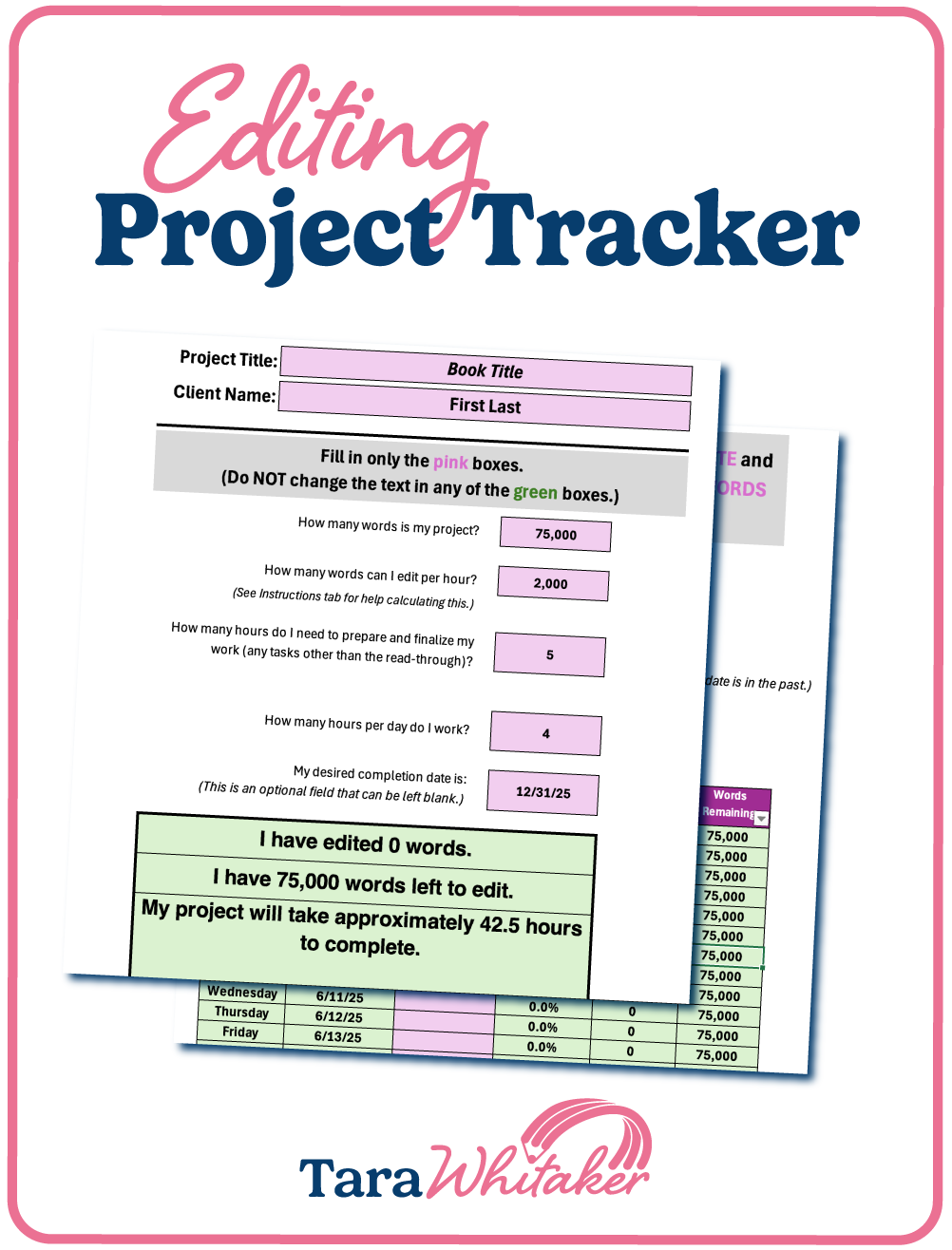
You’ll never miss a deadline again thanks to the Editing Project Tracker, which was designed to help freelance editors with capacity planning and ensure they overdeliver on each client project.
This simple-yet-smart Excel spreadsheet is so easy to use! It will help you track how much progress you’ve made on your editing project and calculate how many words you need to edit each day to complete your project on time.
Start your next editing project knowing you’ll be able to impress your clients with your time management skills and grow your freelance editing business with data-driven capacity planning.

$17

I love it! I’m obsessed. I can just copy a tab for each project I’m currently working on or have scheduled. I was using a calendar per-word breakdown I created in Sheets before, but this is sooo much better!
—Sara S.
“
Highlights
Created for freelance editors via a partnership between me and freelance editor Erica Mito
Enables editors to plan their project timelines well, maximizing profitability and overdelivering on client expectations
Easily customizable, thanks to clearly labeled editable fields
Math-free thanks to advanced formulas that calculate project data for you
Reusable from project to project
My mind is blown and I will never ever say yes to another edit without using this first!! Phenomenal job. I am now an evangelist for this product.
—Sabrina B.
“
What’s Included
The Editing Project Tracker is an Excel spreadsheet that tracks these numbers:
Words you’ve already edited in a project
Words you have remaining to edit in a project
Hours it will take you to complete a project
Days it will take to complete a project, based on your preferred working hours
Words you need to edit per day to meet your target completion date
Days until the target completion date

How it works


Download
Once you purchase the tracker, you’ll immediately receive access to your digital download (a Microsoft Excel document) via email.
Customize
The project tracker includes comprehensive instructions on the first tab to help you fill it out properly and maintain the formulas.
Reuse
Save a copy of the original template and reuse it over and over again for any editing project.
Frequently Asked Questions
-
Any freelance editor would benefit from using the Editing Project Tracker, no matter your Excel expertise or what type of documents you edit.
-
Please reuse! That’s what it was designed for. That said, your purchase is only valid for one business entity and may not be shared with others.
-
Yes and no. You should absolutely edit the pink boxes—that’s how you customize the tracker for your specific editing project. However, be sure not to edit the green boxes (as the instructions state) so that the formulas stay intact and everything is calculated properly.
-
The spreadsheet was created natively in Excel with formulas specific to that platform. However, editors have been able to use the tracker in Google Sheets. We cannot guarantee functionality will transfer, though.
-
Due to the nature of digital downloads, I’m not able to offer refunds for the Editing Project Tracker.
-
Please contact us at Hello@TaraWhitaker.com, and we’ll be happy to help!